
Custom HMI dashboards
Build drag-and-drop visual dashboards with gauges, tank levels, LED indicators, pump controls, and more. Design the interface that fits your operation.
App Mobile companion for Whisker.io
Your Whisker.io monitoring system in the palm of your hand. Monitor devices, respond to alerts, and control your equipment from anywhere.
01 Mobile companion app
WhiskerMobile is the native companion app for the Whisker.io Cloud SCADA platform. Designed for field technicians and system operators, it puts the full power of your monitoring system on your mobile device, so you can stay connected to your water, wastewater, or oil & gas operations wherever you are.
Built with Flutter for a fast, native experience on both iOS and Android, WhiskerMobile gives you real-time access to device data, custom dashboards, trend analysis, and alert management.
02 Key features
Everything you need to monitor and manage your operations on the go.
Build drag-and-drop visual dashboards with gauges, tank levels, LED indicators, pump controls, and more. Design the interface that fits your operation.
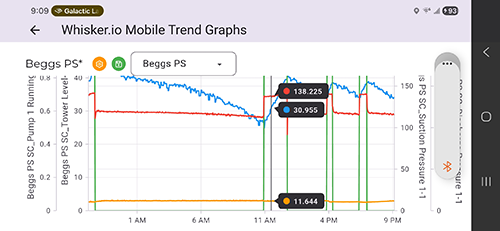
View historical data with interactive charts. Pinch to zoom, pan across time ranges, and save your most-used trend graphs for quick access.
Configure alert thresholds, manage notification contacts, view alert history, and snooze alarms during maintenance, all from your phone.
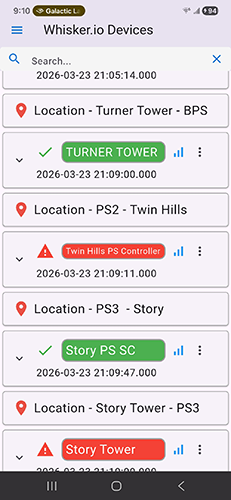
Browse all your IoT devices, check real-time status, configure channels, and manage settings. Full device control at your fingertips.
Dedicated flow meter management with specialized views for tracking flow rates, totals, and diagnostics on your flow instrumentation.
Role-based permissions ensure each team member sees only what they need. Add users, assign roles, and manage access securely from the app.
03 Visual monitoring
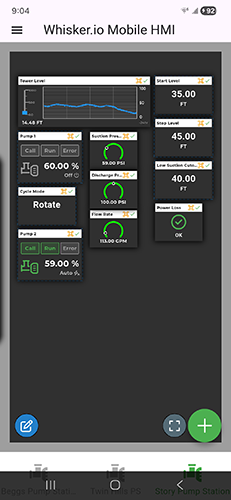
WhiskerMobile’s HMI editor lets you create custom visual dashboards tailored to your specific installation. Drag and drop widgets onto a canvas to build exactly the interface you need.
04 Data at a glance
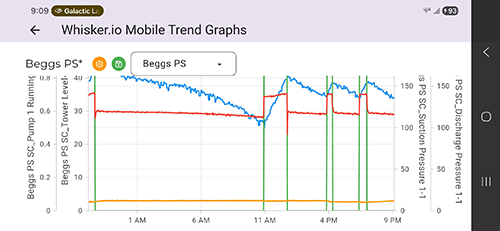
Stay on top of your operations with real-time data visualization. WhiskerMobile provides interactive trend charts with multi-series support, configurable time ranges, and the ability to save your most-used graph configurations for quick access.
05 See it in action
WhiskerMobile brings the full power of your Whisker.io platform to your mobile device.
06 Available on your platform
WhiskerMobile is built natively for iOS, Android, and Windows.
07 Beta testing program
Download the latest beta builds and share your feedback with our development team.
Because this APK is downloaded outside the Google Play Store, your device will need permission to install it. Follow these steps:
Tip: on older Android versions (8.0 and below), this setting is found under Settings > Security > Unknown Sources as a single global toggle.
Beta builds are pre-release software intended for testing purposes. If you encounter issues or have feedback, please contact us at support@d6labs.com or call 1-844-365-8647.
Get started
WhiskerMobile works with your existing Whisker.io account. Contact us to learn more about our monitoring platform.